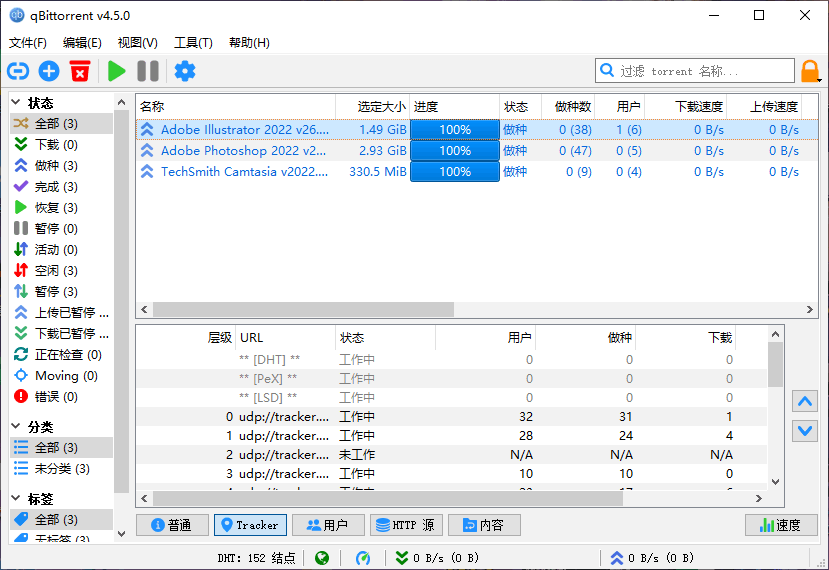
qBittorrent 是一个新的轻量级 BT 客户端,可运行于 Linux、Windows 及其他系统,它简单易用,漂亮的外观,功能强大。现在它可以被视为一个良好的替代其他 BitTorrent 软件的客户端。其实优秀的工具有很多,很多时候是我们的习惯造成了我们非要使用迅雷不可。至少在我个人觉得选择适合的才是最重要的。
qBittorrent 许可证
GNU 通用公共许可证 v2
注意:qBittorrent 4.5.0 后不再支持 32 位系统。32 位版本:点击下载 官方主页
What’s new in qBittorrent 4.5.1
February 12, 2023
FEATURE: Re-allow to use icons from system theme
BUGFIX: Fix Speed limit icon size
BUGFIX: Revise and fix some text colors
BUGFIX: Correctly load folder based UI theme
BUGFIX: Fix crash due to invalid encoding of tracker URLs
BUGFIX: Don’t drop !qB extension when renaming incomplete file
BUGFIX: Correctly count the number of torrents in subcategories
BUGFIX: Use “additional trackers” when metadata retrieving
BUGFIX: Apply correct tab order to Category options dialog
BUGFIX: Add all torrents passed via the command line
BUGFIX: Fix startup performance on Qt5
BUGFIX: Automatic move will now overwrite existing files
BUGFIX: Some fixes for loading Chinese locales
BUGFIX: New Pause icon color for toolbar/menu
BUGFIX: Adjust env variable for PDB discovery
WEBUI: Fix missing “queued” icon
WEBUI: Return paths using platform-independent separator format
WEBUI: Change order of accepted types of file input
WEBUI: Add missing icons
WEBUI: Add “Resume data storage type” option
WEBUI: Make rename file dialog resizable
WEBUI: Prevent incorrect line breaking
WEBUI: Improve hotkeys
WEBUI: Remove suggestions while searching for torrents
WEBUI: Expose “IS PRIVATE” flag
WEBUI: Return name/hash/infohash_v1/infohash_v2 torrent properties
WINDOWS: Correctly detect drive letter in path
WINDOWS: NSIS: Update Swedish, Lithuanian translations
https://www.qbittorrent.org/news.php
资源:1600.rar
解压密码:www.dayanzai.me
转载请保留出处,谢谢合作~ 点击下载(提取码:536766) 点击下载(提取码:536766) 点击下载(提取码:38p7) 点击下载(提取码:va3v)